Product
Client Portal Sub Portal Command Panel with Tracker™ Automation Templates Integrations
Learn
How It Works Why Best-of-Class Live Sheet Manual Smartsheet Manual FAQ AI Truth
Company
Pricing About Login
Command Panel

Command Panel with Tracker™

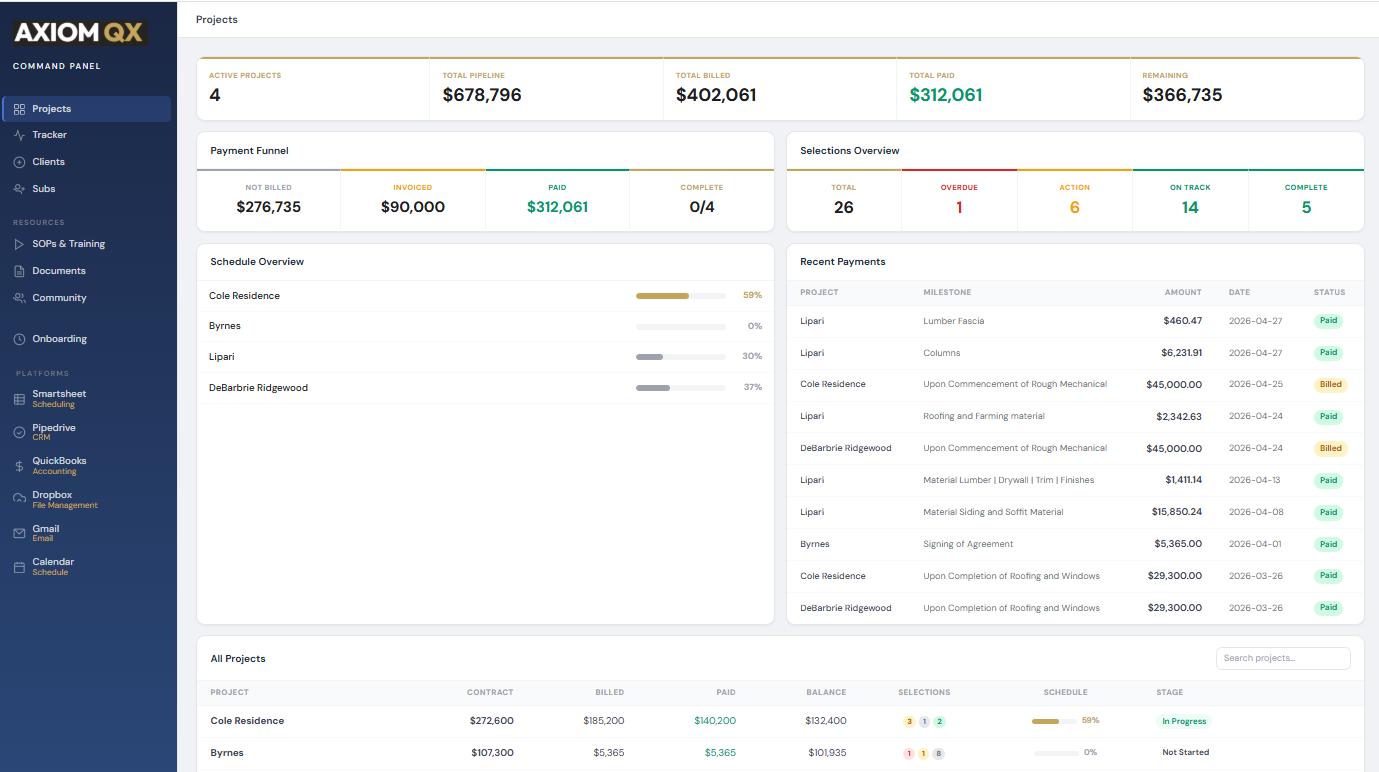
Every project, every dollar, every selection, every deadline. All live.

Command Panel - every project, every dollar, every selection on one screen
Projects

All Active Projects

Every project with status, client info, and schedule data. Click into any project to see full details.

Projects

Project Management

Project contact info, portal status, deployed templates. Everything about every project in one place.

Control

Portal Deploy

Turn client and sub portals on and off. Deploy templates. Generate portal URLs. One-click control.

Project Tracker

Update your schedule without opening Smartsheet.

Pick a project. See every task organized by phase. Tap to update what's completed. Save it all back to Smartsheet in one batch.
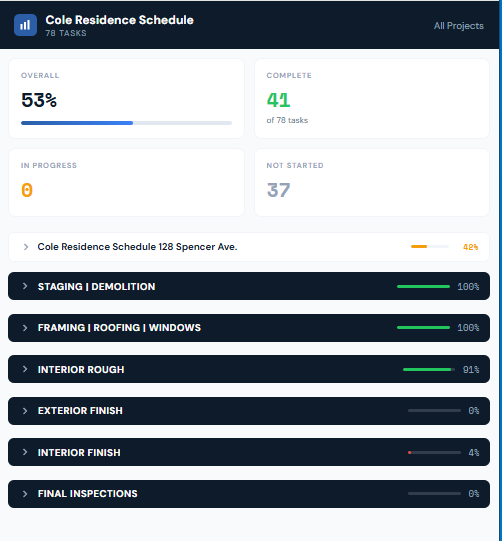
  • Tap 0, 25, 50, 75, or 100 on any task
  • Update 20 tasks in 30 seconds
  • Every task grouped by phase
  • All changes write back to Smartsheet in one shot
Project Tracker - update phase progress in seconds, write back to Smartsheet
Phase Detail

Drill into any phase. Update by tap.

Pick a phase, expand it, tap completion percentages on every task. Progress bars update inline so you can see exactly where the project sits without opening Smartsheet.
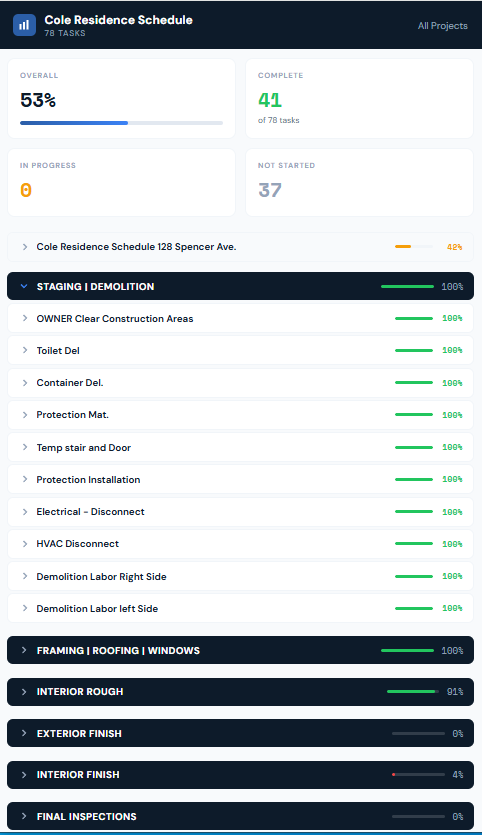
  • Expand any phase to see its task list
  • Tap 0, 25, 50, 75, or 100 on each task line
  • Progress bars update inline as you tap
  • Save once, write the whole batch back to Smartsheet
Tracker expanded - phase detail with task progress bars
Full View

Every task. Every phase. Every project.

When you need the whole picture - every task across every phase laid out flat. Sort by overdue, completion, or phase. The full state of a project on one screen.
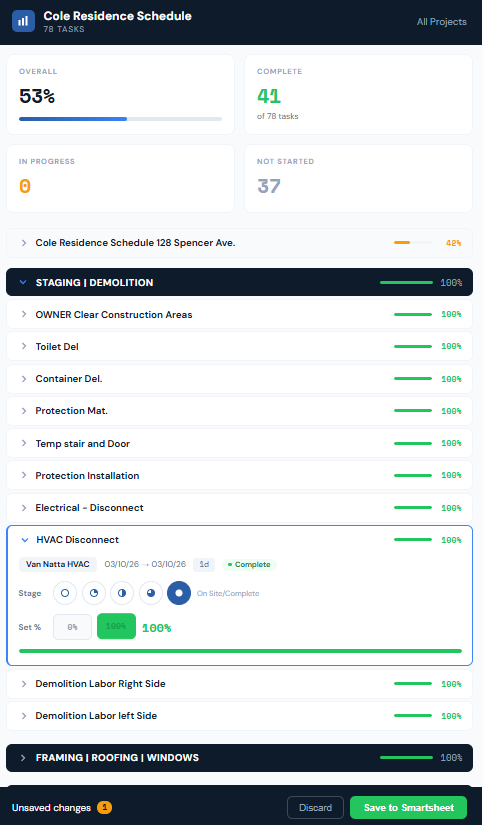
Tracker full expanded - every task across every phase
Portal Control

Turn portals on and off. One tap.

Every client and sub portal is one switch away. Activate when a project starts, deactivate when it closes out. Templates deploy with a click. Portal URLs generate on demand.
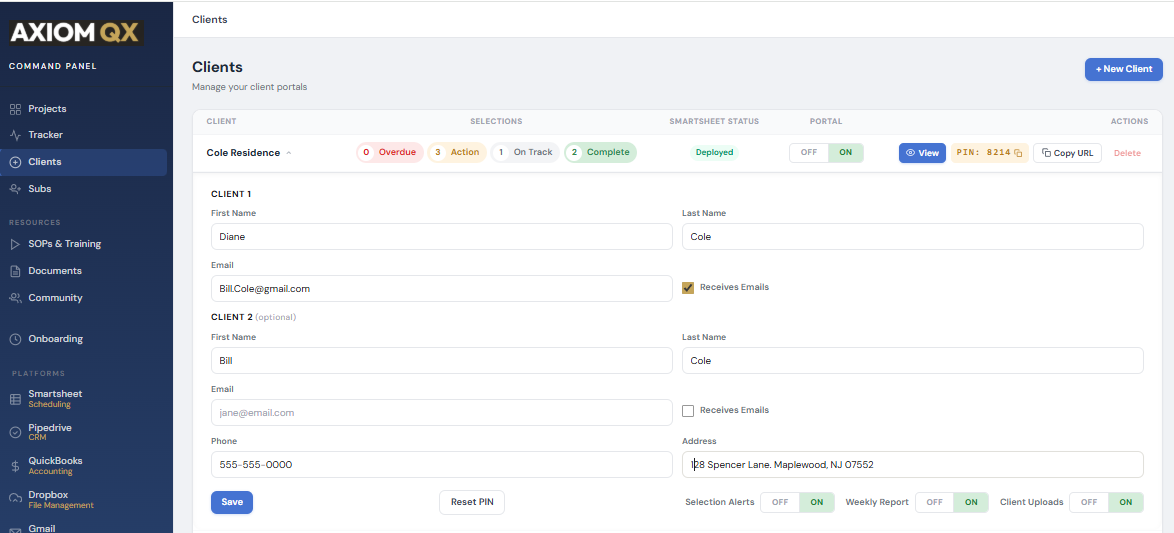
  • Activate or revoke any client portal in one tap
  • Same control for every sub portal
  • Deploy templates and generate URLs on demand
  • Every change logged with a timestamp
Command Panel client kill switches - activate or deactivate portals on demand

Ready to run your operation like a system?

14 days free. No credit card. No obligation.

Start Free Trial